
Software
Golf Simulator Software.
Your launch monitor reads the shot — the software draws the course, runs the round, and decides what it all looks like. It's also the part people understand least. Here's the honest map.
Every golf simulator runs on software, and there are really two kinds: the proprietary software that comes with your launch monitor, and third-party platforms you can run on top of it. Which ones you can use depends on your launch monitor — some play nicely with everything, and some (Trackman, notably) keep you in their own world. We set up and dial in whichever software your build calls for, and we'll tell you straight which combinations actually work well together. Goal, budget, design, build.
We set up and calibrate the software in every build · 30 years in KC construction · 5 bays we built and run ourselves
How to Think About It
Proprietary vs. third-party — the split that matters.
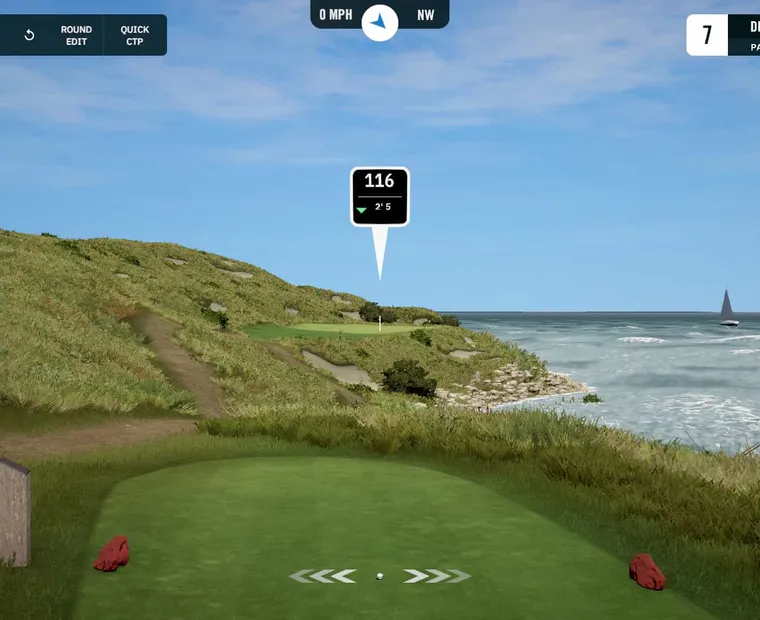
Golf simulator software comes in two forms. Proprietary software is made by your launch monitor's manufacturer and included with it — Uneekor's View/GameDay, Foresight's FSX, Trackman's TPS, TruGolf's E6 APEX, ProTee Labs. Third-party platforms run on top of compatible hardware for more courses and realism — the community favorite GSPro, and the newer Unreal-Engine platform PurePlay. Some launch monitors run both; some (Trackman) only run their own.
Think of it like a game console and its games. The proprietary software is what ships with your launch monitor — it always works, it's tuned to that hardware, and for a lot of people it's all they ever need. The third-party platforms are where the enthusiasts go: bigger and better course libraries, more realism, online competition. The catch is compatibility — not every launch monitor can run every platform, and the rules aren't obvious. The rest of this page lays out what comes in the box, what you can add, and what actually connects to what.
What Comes In the Box
Proprietary software, by brand.
This is what's included with each launch monitor we sell — the software you can play day one, no add-ons (details/pricing as of June 2026 — verify current).
Uneekor
View + Player, and GameDay
The free Player package includes your full data; Uneekor's own course-play software has grown into GameDay, with paid tiers (Pro/Champion/Ultimate, ~$199–$599/yr) unlocking more, including third-party software access.
Foresight Sports
FSX
Foresight's own platform (FSX Play and the broader FSX suite) is included on most models with no subscription (the GC3S is the exception). Strong, polished, fitting-grade.
Trackman
TPS (Trackman Performance Studio)
Trackman's own software, included via subscription (~$700–$1,000/yr), with 200+ courses and tour-grade analysis. This is a closed ecosystem — more on that below.
Apogee
TruGolf's E6 APEX
The Apogee runs on TruGolf's owned E6 APEX platform (no required subscription), with a large, growing course library.
ProTee VX
ProTee Labs
ProTee's own practice-and-play software is included with no subscription, and the VX is also broadly third-party compatible.
The honest read: for many golfers the included software is genuinely enough. The reason people add a third-party platform is courses and realism — which is the next section.
The Platforms Worth Adding
Two we'd actually point you to.
There are several third-party platforms out there, but most of the old guard has fallen behind. We focus on the two that are genuinely worth your attention.
GSPro
The enthusiast standard
Community-driven, an enormous and growing library of community-built LiDAR courses, serious online competition, and a low annual cost (~$250/yr). It's what most serious sim golfers run, on compatible hardware.
Read morePurePlay
Pre-launchThe next generation (coming)
A new platform built in Unreal Engine with real-world photogrammetry, a proprietary physics engine, and a launch library of custom LiDAR-mapped courses. Designed hardware-agnostic. Pre-launch — we're watching it closely and will support it when it lands.
See what's comingWe're deliberately not steering you toward the older third-party platforms. They were fine in their day; the game has moved on, and we'd rather point you somewhere current.
The Compatibility Reality
The part nobody explains — and the Trackman catch.
Here's the truth that saves people a lot of frustration: not every launch monitor runs every platform, and "compatible" doesn't always mean "effortless."
Open vs. closed
Most camera-based launch monitors — Foresight, Uneekor, ProTee VX, plus budget units like SkyTrak and Mevo — connect to GSPro, sometimes natively and sometimes through a community-built connector. The connector route works well but adds a setup step.
The Trackman catch
Trackman does not officially support GSPro. Trackman runs a closed ecosystem on its own TPS software — that's the trade-off with the tour-grade name. Unofficial workarounds exist, but they're unsupported, fiddly, and discouraged. If running GSPro matters to you, that's a real point against Trackman, and we'll say so before you spend the money.
"Compatible" ≠ "frictionless"
Even supported combinations can involve connectors, background apps, and network setup. Part of what we do on a build is make the software side actually work — connector configured, calibrated, ready to play the day we finish — instead of leaving you to troubleshoot it.
PurePlay's approach
PurePlay says it's hardware-agnostic by design, with both official (licensed, in-game) and open community integrations — which, if it delivers, would make it friendlier to connect than the patchwork that exists today. We'll verify that when it ships.
The bottom line: pick your launch monitor and your software together, not separately — because the wrong pairing can lock you out of the platform you wanted. That's exactly the kind of thing we sort out before you buy. Start with the launch monitors and we'll pair the right software to your pick.
FAQ
Software questions.
01 What software does a golf simulator use?
+
Two kinds: the proprietary software included with your launch monitor (Uneekor's View/GameDay, Foresight's FSX, Trackman's TPS, TruGolf's E6 APEX, ProTee Labs), and optional third-party platforms you run on top of compatible hardware — chiefly GSPro today, with the newer PurePlay arriving. The included software is enough for many golfers; third-party platforms add courses and realism.
02 Does Trackman work with GSPro?
+
No, not officially. Trackman runs a closed ecosystem on its own TPS software and does not officially support GSPro. Unofficial workarounds exist but are unsupported and unreliable. If you specifically want to run GSPro, that's a meaningful reason to choose a more open camera-based launch monitor instead.
03 Which launch monitors work with GSPro?
+
Most camera-based units — Foresight, Uneekor, ProTee VX, and budget options like SkyTrak and FlightScope Mevo — connect to GSPro, some natively and some through a community-built connector. Trackman is the notable exception, since it stays within its own closed software. We confirm the exact connection method for your specific hardware before you buy.
04 How much does golf simulator software cost?
+
The proprietary software included with your launch monitor is part of the hardware cost, though some brands charge an annual subscription (Trackman about $700 to $1,000 per year; Uneekor about $199 to $599 per year for added features). The leading third-party platform, GSPro, is about $250 per year. PurePlay's pricing hasn't been announced. Prices as of June 2026 — verify current.
05 Do you set up the software, or just the hardware?
+
Both. Setting up and calibrating the software — including configuring any third-party connector and getting it playing the day the build is done — is part of every install we do. The software side is where a lot of DIY simulators get stuck, and it's exactly the kind of thing one accountable team should handle for you.
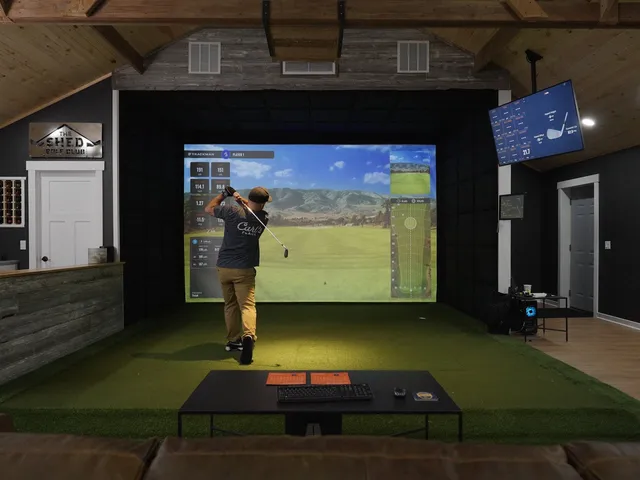
Not sure which software fits your launch monitor? Ask before you buy.
The biggest software mistake is buying the launch monitor first and discovering later it won't run the platform you wanted. Tell us what you want to play and we'll make sure the hardware and software fit together — and we'll set it all up. Or come see GSPro running at the showroom.
Launch monitors